Workforce analytics for contact centers,
without the surveillance
See where each shift goes by team and application. No keystroke logging, personal browsing counted without a name, and nothing recorded outside working hours. In production at a global outsourcer since 2020.
Trusted in enterprise operations
“It will open new doors into a deeper understanding of how your teams are actually spending their time and how they are directing their attention.”

What we never collect
Durations, not contents
The client records the application, the website host and how long each was in use. Window titles are off unless an administrator turns them on in Settings. None of the following is captured, uploaded or stored, and no setting turns any of them on.
What the client records
- Application
- Website host
- Time in use
Never collected
Keystroke contents
Typing is measured in seconds. The keys are never read.
Clipboard
Nothing copied or pasted is read.
Camera or microphone
The client never asks for access to either.
File and document contents
No contents and no file paths.
Email, chat or call contents
A Teams or Skype call counts as meeting time. Nothing said or shared is read.
Passwords or form contents
Nothing typed into a page or a sign-in box.
Location
No GPS and no location lookups.
Anything outside working hours
Never recorded, rather than recorded and hidden. Each person can have their own schedule.
With a corporate list in place, time in anything not on the list is counted against an anonymous ID on the PC before upload, so personal browsing shows as team time without a name. Every field, listed
Proven in enterprise operations
For more than five years ReclaimTime has tracked work time for a global outsourcing provider across multiple sites and countries. It is built for operations that run around the clock.
Continuous enterprise deployment since 2020.
Typing is measured as a duration only. No setting turns key capture on.
Privacy by design
Nothing is recorded outside working hours. Non-corporate apps and sites are counted at group level only, decided on the PC before anything is uploaded.
Encrypted in transit
Every connection is HTTPS on port 443, outbound only. Nothing listens on a tracked PC. Installers are code signed and timestamped.
Meeting detection
Calls in Microsoft Teams and Skype are tagged as meeting time, so a quiet keyboard during a call is not counted as inactivity.
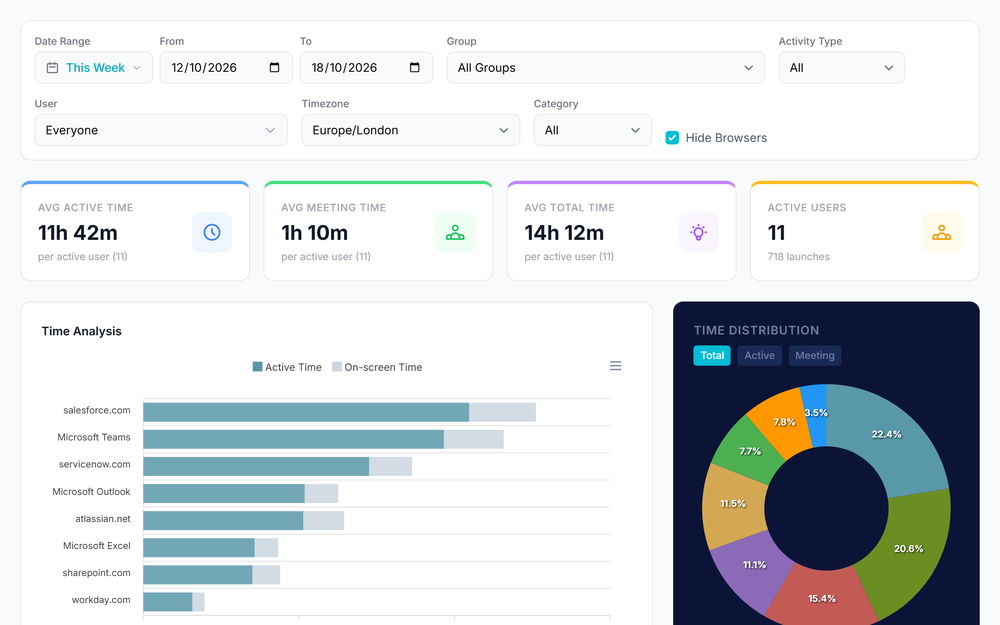
Statistics
Active, meeting and total time by team, with time analysis and distribution charts and CSV export.
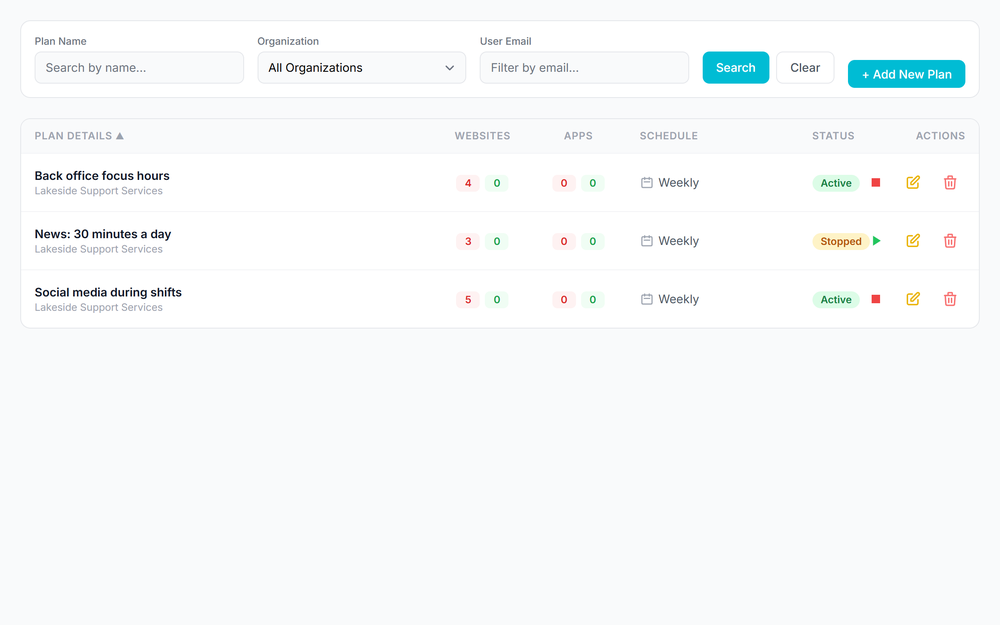
Plans
Focus policies assigned by group: block lists, allow lists, time limits, breaks and schedules.
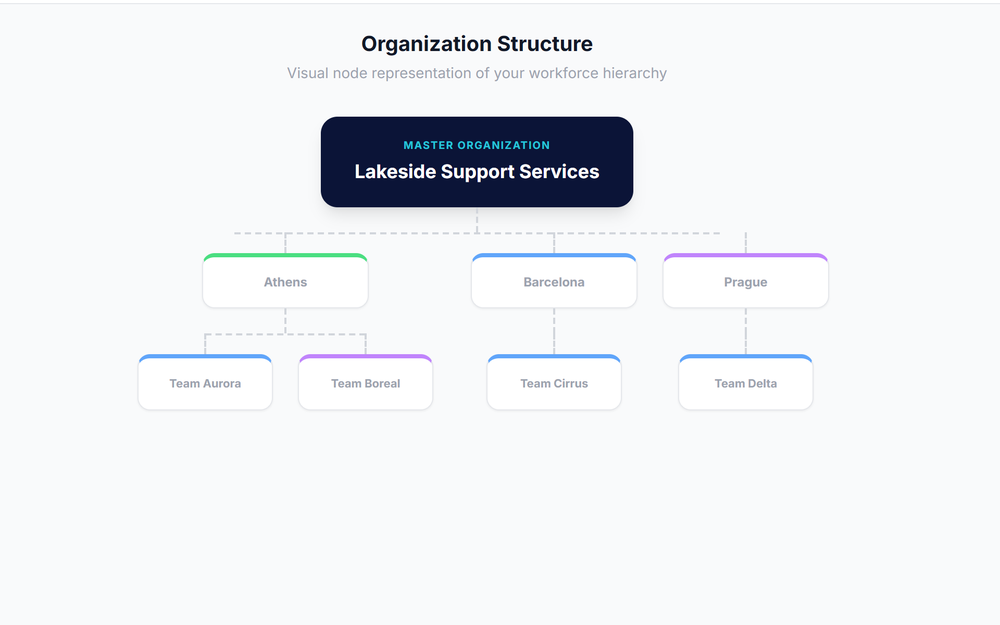
Hierarchy
A group tree up to six levels deep. Each supervisor sees their own groups and everything below.
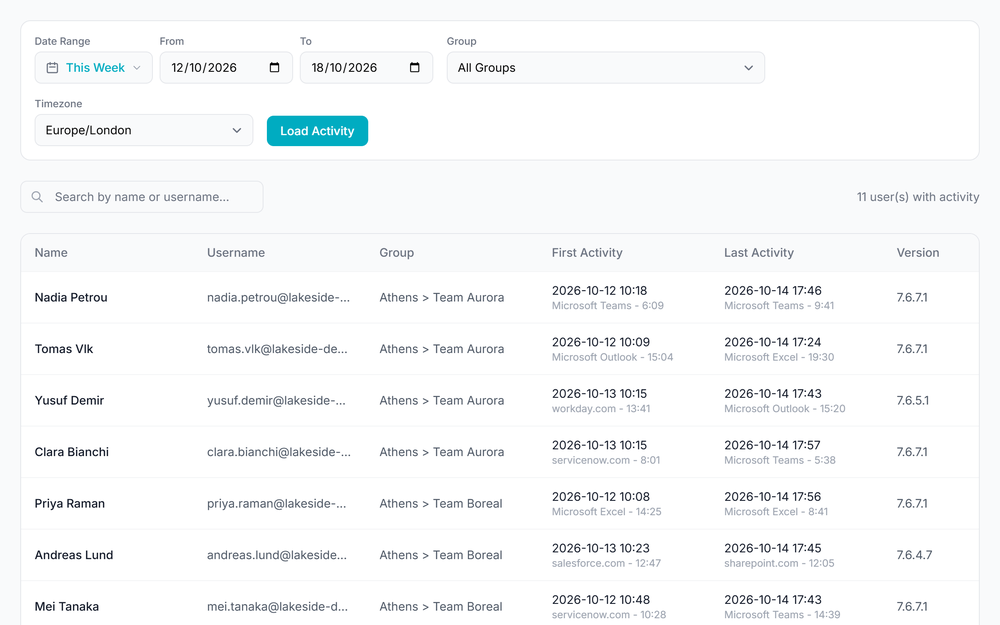
Activity
First and last activity per person, and a row-level activity review for the detail.
Security and privacy
What IT and data protection teams ask first
GDPR
Processor terms, DPA on this site
Encrypted in transit
HTTPS on every connection
Dedicated backends
Available for larger customers
No keystrokes
No file, message or call contents
Enterprise Capabilities
Track, set policies and report by team
Tracking, policies and reporting for distributed operations, managed from one dashboard.
Central Control
Manage groups, working hours, corporate lists and focus policies for the whole organization from one cloud dashboard.
- Policies assigned by group
- Settings pushed to every client
- Supervisor and enterprise administrator roles

Faster Rollouts
Install silently with SCCM, Intune or a logon script. Each PC signs in with its Windows account, so nobody types a password.
- Silent installation
- Admin and non-admin installers
- Automatic updates

Clear Reporting
See active, meeting and total time by team and by application, filtered by group, date range and time zone.
- Statistics by group and user
- Time analysis and distribution charts
- CSV export for any date range

Privacy Options
Record only during working hours, name only corporate apps and sites, and never log keystrokes.
- Working-hours-only recording
- Non-corporate activity counted at group level
- No keystrokes, file or message contents

Implementation
Live in three steps
From installer to first report in days, not months, using the deployment tools already in place.

Silent Deployment
Push the signed installer with SCCM, Intune or a logon script. Users see nothing and type nothing.

Central Policy Engine
Configure working hours, corporate lists and focus policies for teams or individuals from one dashboard.

Team Reporting
Turn raw activity into time by team, by application and by day, ready for the operations review.
Powerful visibility from a
single dashboard
One dashboard for supervisors and administrators: statistics, activity, plans and the organization hierarchy.
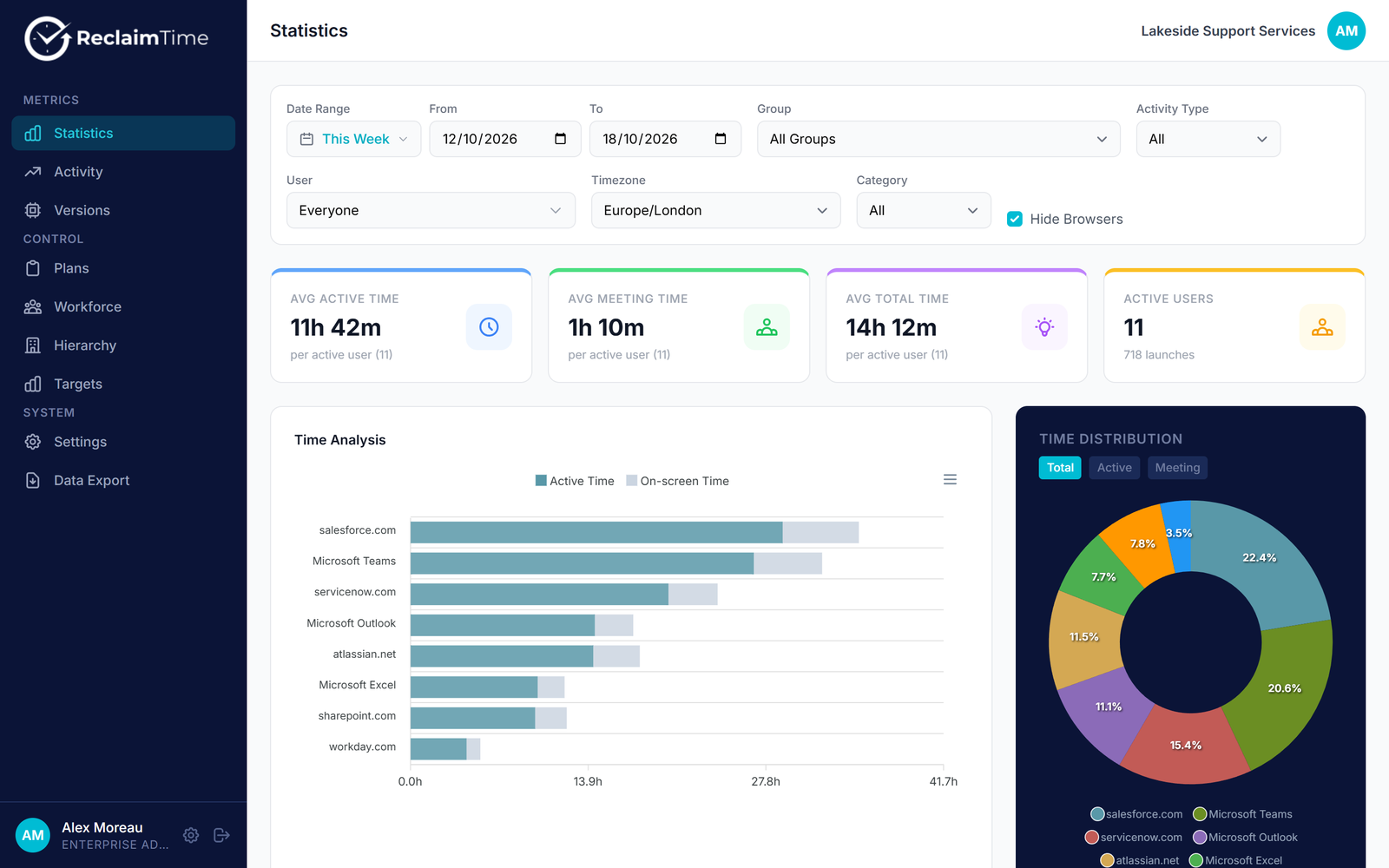
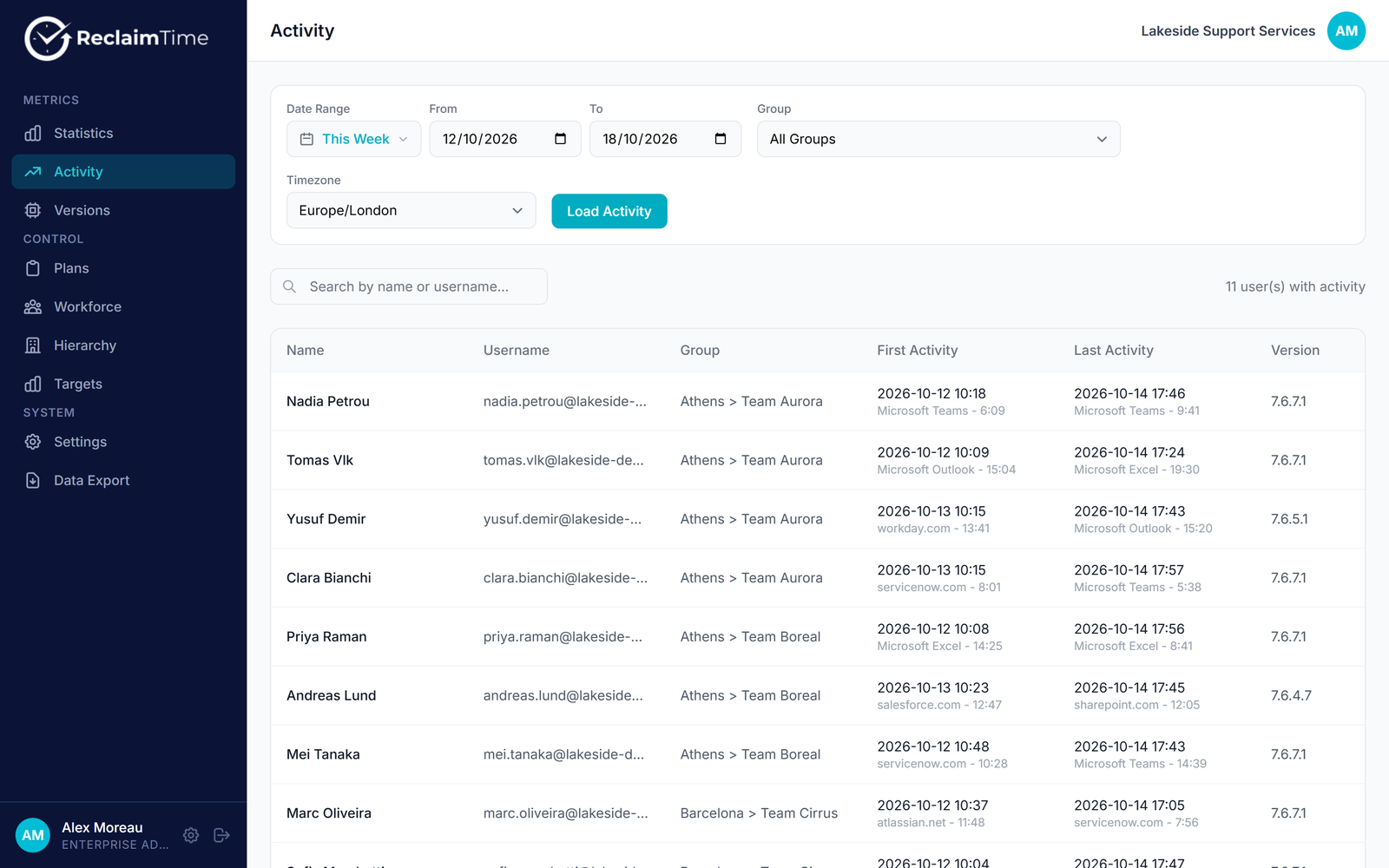
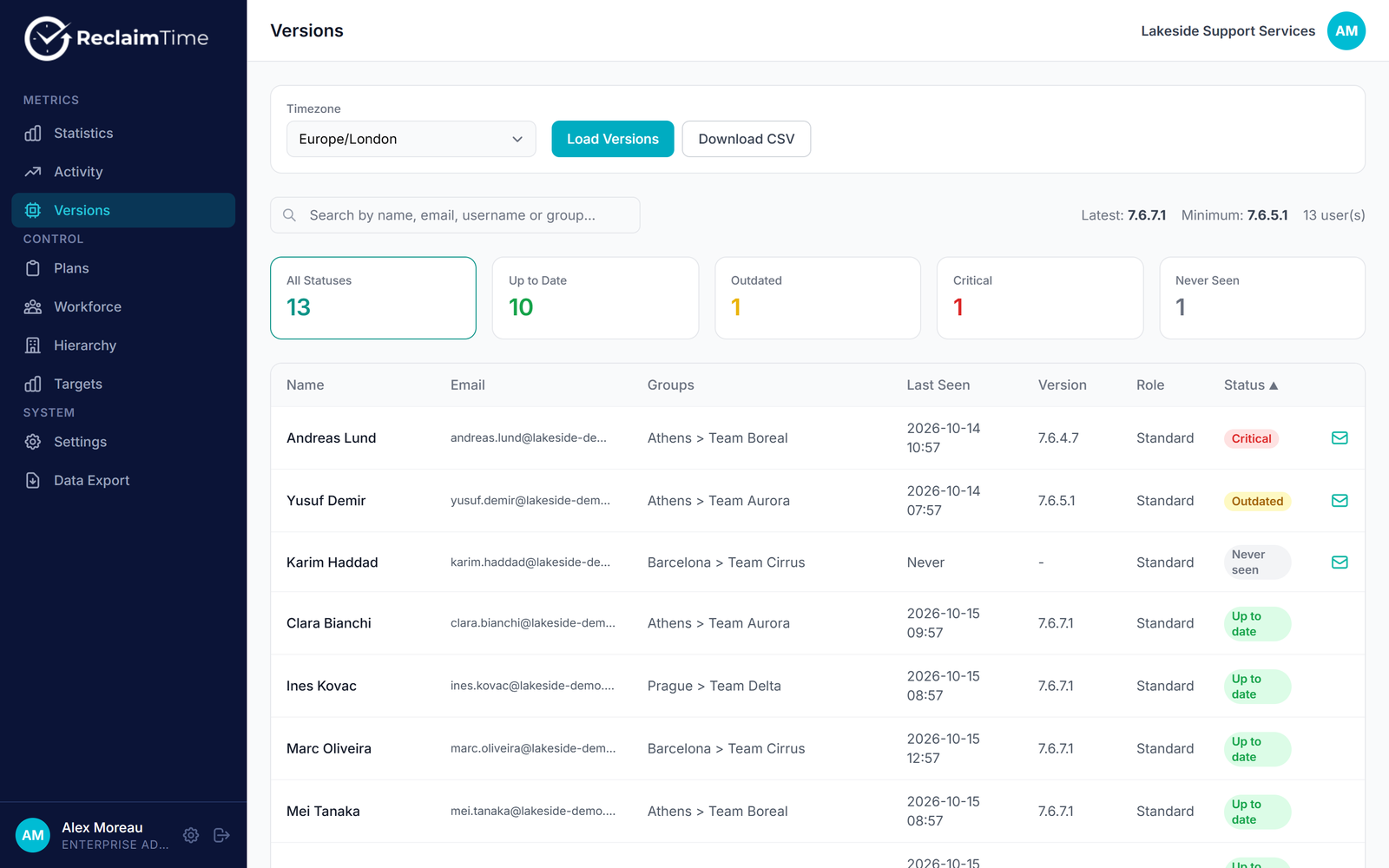
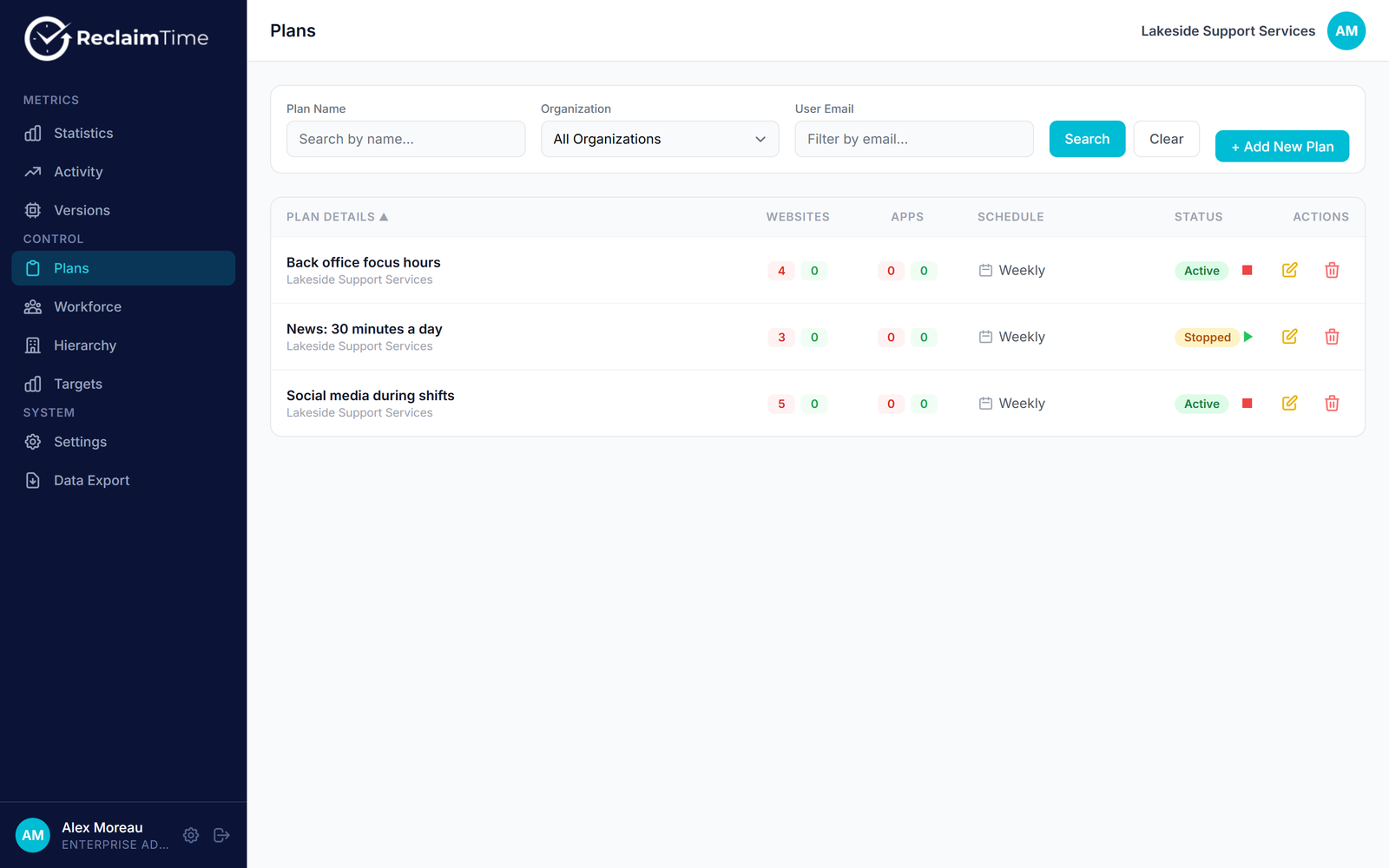
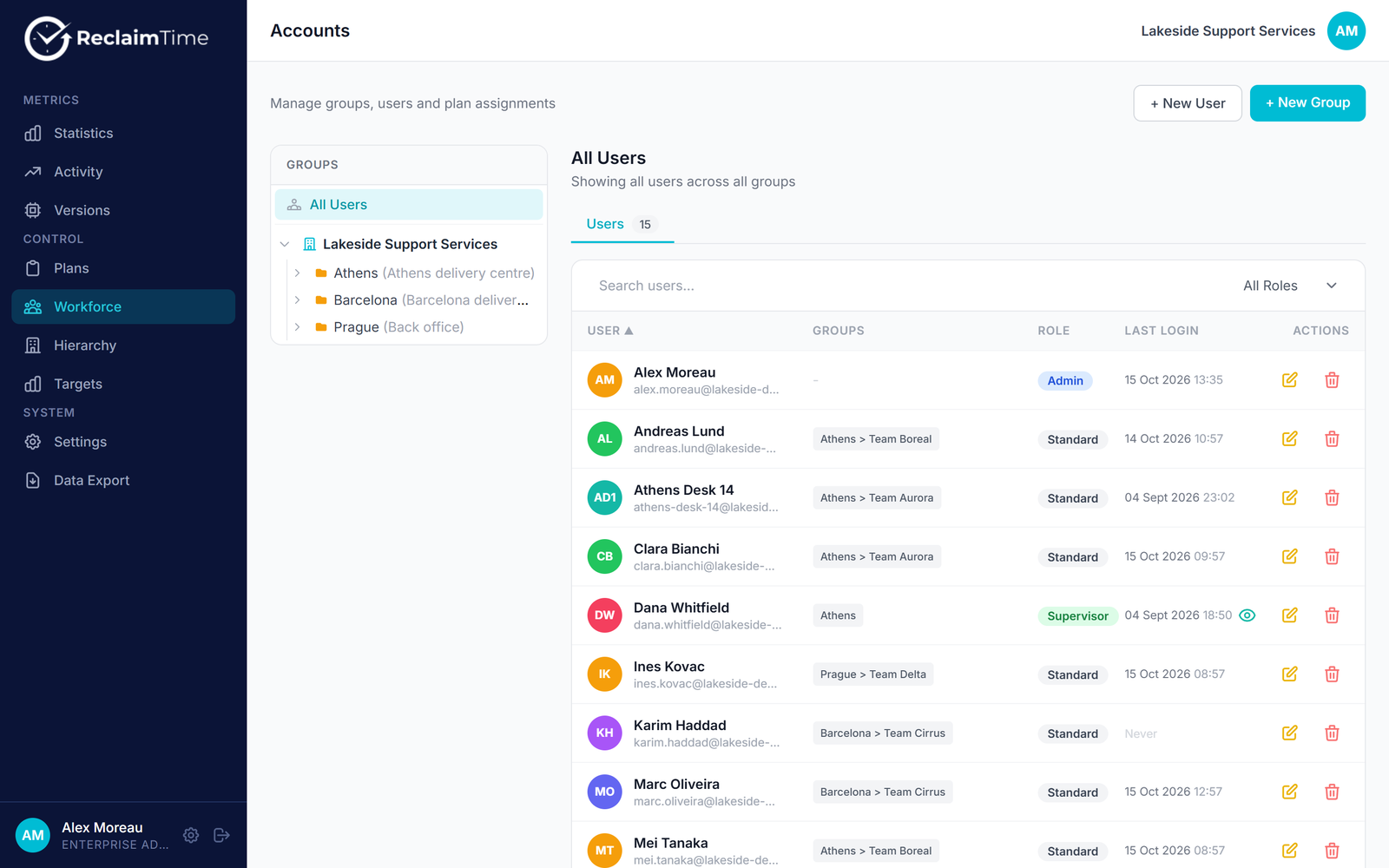
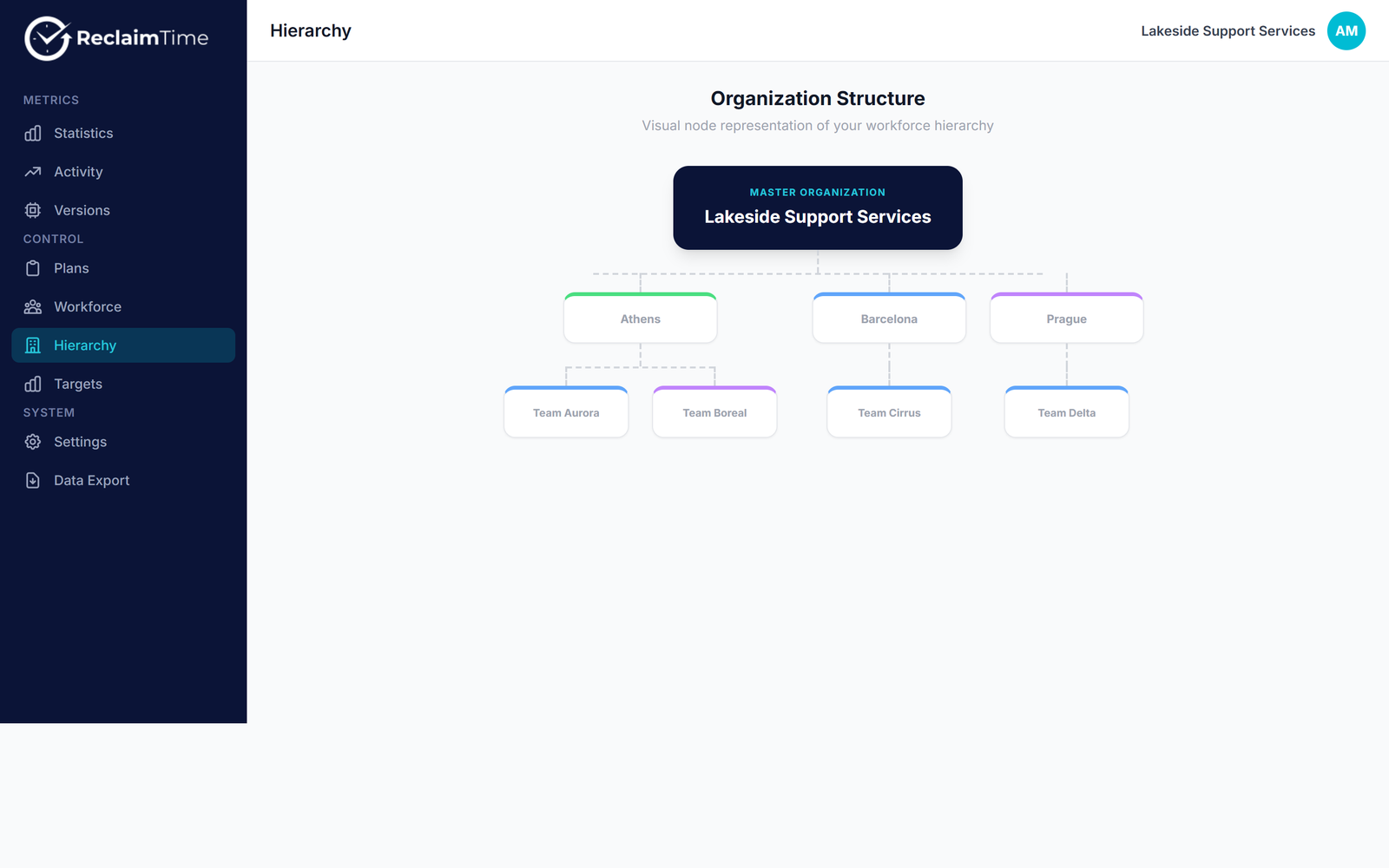
Active, meeting and total time for any date range, group or person.
Screens from a demo organization with sample data.
Team visibility
Active, meeting and total time by group and by person.
Policy Engine
Block lists, allow lists, time limits and schedules by group.
Data export
Daily or raw CSV for any date range.
Silent client
Installs and updates without user action across every site.
Where it is used
Built for operations where attention is the product
Where a distracted hour is a measurable cost, ReclaimTime shows where the time went and keeps the right tools in front of people.

Call Centers & BPOs
See active, meeting and total time per team and shift, split corporate from non-corporate use, and block the sites that eat handle time.
Retail & Multi-site
Run the same focus policy on every back-office and shop-floor PC, with tracking on or off per site.

Training & Education
Allow only the approved platforms during training and nesting, then relax the policy by group when people go live.
Pricing
Per user, per month
Prices in USD per user per month, billed annually. Minimum 10 users; the whole order is priced at its tier.
Starter
Essential visibility for growing teams.
Billed annually: $36 per user a year
Growth
Full control for distributed teams.
Billed annually: $30 per user a year
Enterprise
Dedicated setup and support at scale.
Billed annually: $24 per user a year
Need something specific?
Prepaying 2 or 3 years takes 10% or 20% off, with the price fixed for the term. Above 2,500 users, or for a dedicated backend, a customized installer, or help with a security questionnaire or works council review, tell us about the setup and a proposal follows.
Cost calculator
What a year costs at your seat count
Each product's entry plan, per user per month billed annually, before add-ons.
ReclaimTime, Growth tier
$7,500 a year
$2.50 per user per month, billed annually. At 500 seats the whole order drops to $2.
The same 250 seats elsewhere
ReclaimTime bills the whole order at the tier its seat count falls in: $3 for 10 to 99 users, $2.50 for 100 to 499, $2 for 500 or more. Rival prices are the published entry plans on each vendor's pricing page, read 5 Nov 2026; their higher plans and add-ons cost more. ActivTrak is free for up to 3 people.
Questions
Commonly asked questions
Still have questions?
Ask about a rollout, a security review or a pilot.
Questions before a pilot?
Ask about a security review, deployment on your fleet or pricing for your seat count.
Let's talk about your rollout.
Tell us about the teams, sites and seat count involved and a pilot plan with pricing comes back within one business day.
Email us
hello@reclaimtime.com
Documentation
docs.reclaimtime.comStart with one team
Start with a pilot group, see the first team reports within a week, and roll out site by site from there.